Microsoft Clipchamp Standard (1 user License)
Microsoft Clipchamp Standard makes it easy to create polished business videos without complicated editing software. Record your screen or webcam, trim clips, add text, transitions, music, and branding, then export professional-looking videos for training, marketing, presentations, and social media. Microsoft describes Clipchamp as a video editor designed to make video creation easy, including tools for trimming, combining clips, adding overlays and music, and recording screen and webcam content.
SKU: MST-NCE-CCS-C100
Microsoft Clipchamp Standard is a simple, professional video editing solution for businesses that want great-looking videos without the steep learning curve. Whether you are creating customer presentations, internal training videos, social media clips, product demos, or company announcements, Clipchamp helps you turn ideas into clean, modern video content fast. Microsoft positions Clipchamp as a video editor for users with little or no prior editing experience, while still offering strong business-ready tools like timeline editing, text, transitions, stock assets, brand kits, and recording features.
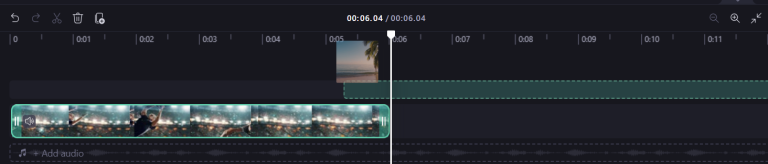
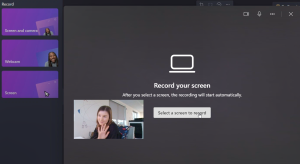
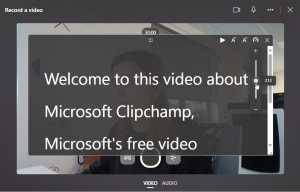
With Clipchamp Standard, users can import videos, images, and audio, edit them on a timeline, add transitions, text, annotations, graphic overlays, and music, and record screen, webcam, or both for demos and presentations. Microsoft also notes integration with OneDrive, SharePoint, and Stream, which is especially useful for organizations already working inside Microsoft 365.
This is a strong fit for teams that need a video tool that feels approachable. Instead of overwhelming users with complex studio-style workflows, Clipchamp focuses on making business video creation easier and faster. Microsoft’s feature documentation for work accounts shows Standard includes core editing tools, brand kit support, stock media access, screen/webcam capture, multiple aspect ratios, transitions, filters, and exports up to 1080p and 4K.
When offered through Live-Tech, the listing should feel less like “just software” and more like a practical business solution: a trusted Microsoft video editor backed by an experienced technology provider. Live-Tech’s long-standing business IT background makes that positioning credible.
Key benefits
- Easy to use for beginners and non-designers. Microsoft explicitly describes Clipchamp as built for users without prior editing experience.
- Professional-looking results with text, transitions, effects, and overlays.
- Great for demos and training with built-in screen and webcam recording.
- Business branding support with brand kit tools for logos, colors, and fonts.
- Works well with Microsoft 365 workflows through OneDrive, SharePoint, and Stream integration.
- Flexible export options including HD and 4K support in Microsoft’s work-plan feature descriptions.
What’s included
- 1 Microsoft Clipchamp Standard license
- Browser-based/business-access video editing
- Timeline-based editing tools
- Screen recording
- Webcam recording
- Text overlays
- Transitions and filters
- Stock media access
- Brand kit support
- Multiple video aspect ratios
- HD/4K export support
- These inclusions are aligned with Microsoft’s current work-plan feature documentation for Clipchamp Standard.
Who it’s for
- Small businesses
- Marketing teams
- Sales teams
- Trainers and educators
- Content creators
- Office staff who need simple presentation or demo videos
- Organizations already using Microsoft 365
- This target audience is an inference based on Microsoft’s documented use cases such as demos, informational presentations, editing within Microsoft 365, and simplified video creation for non-experts.
Product specifications (For Backend Fields)
Product Type software subscription
License Type 1 User
Billing Cycle Monthly or Annual (Set according to your offer)
Delivery Method Digital/ Account Activation
Brand Microsoft
Category Video Editing Software
Platform web-based