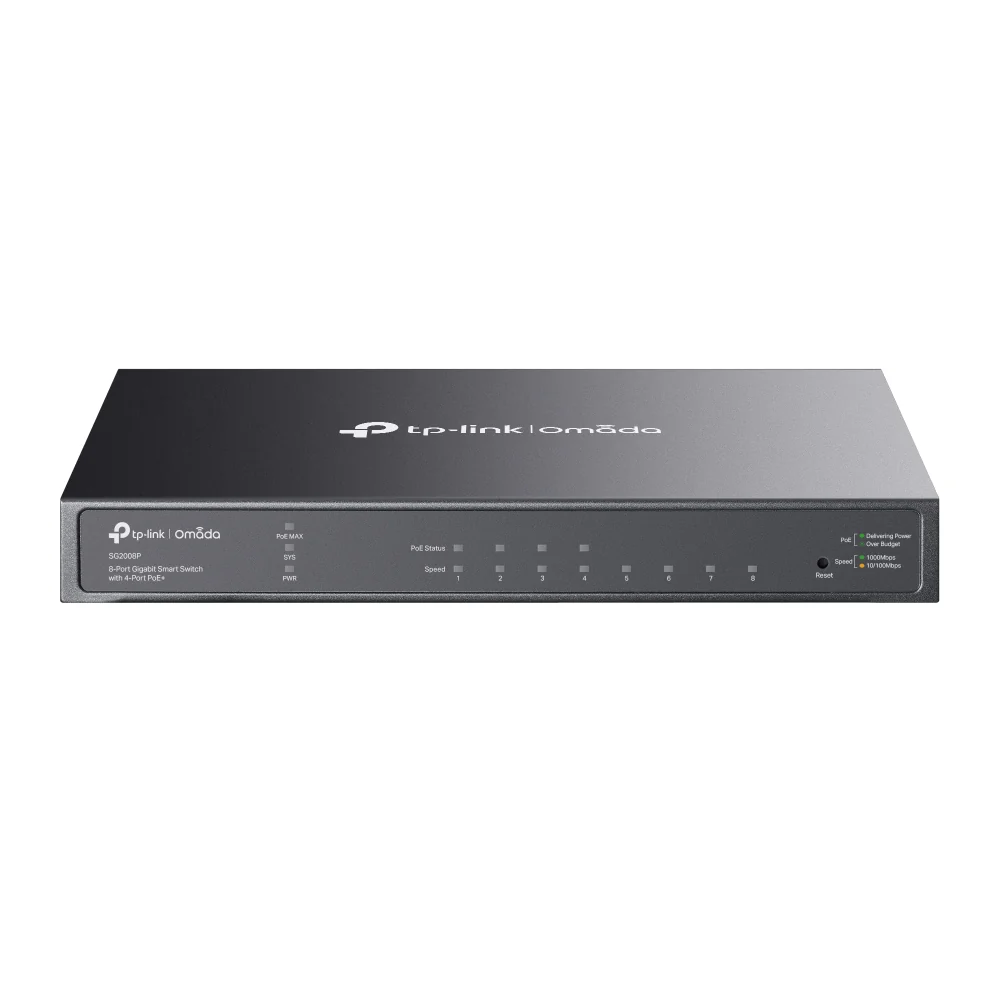
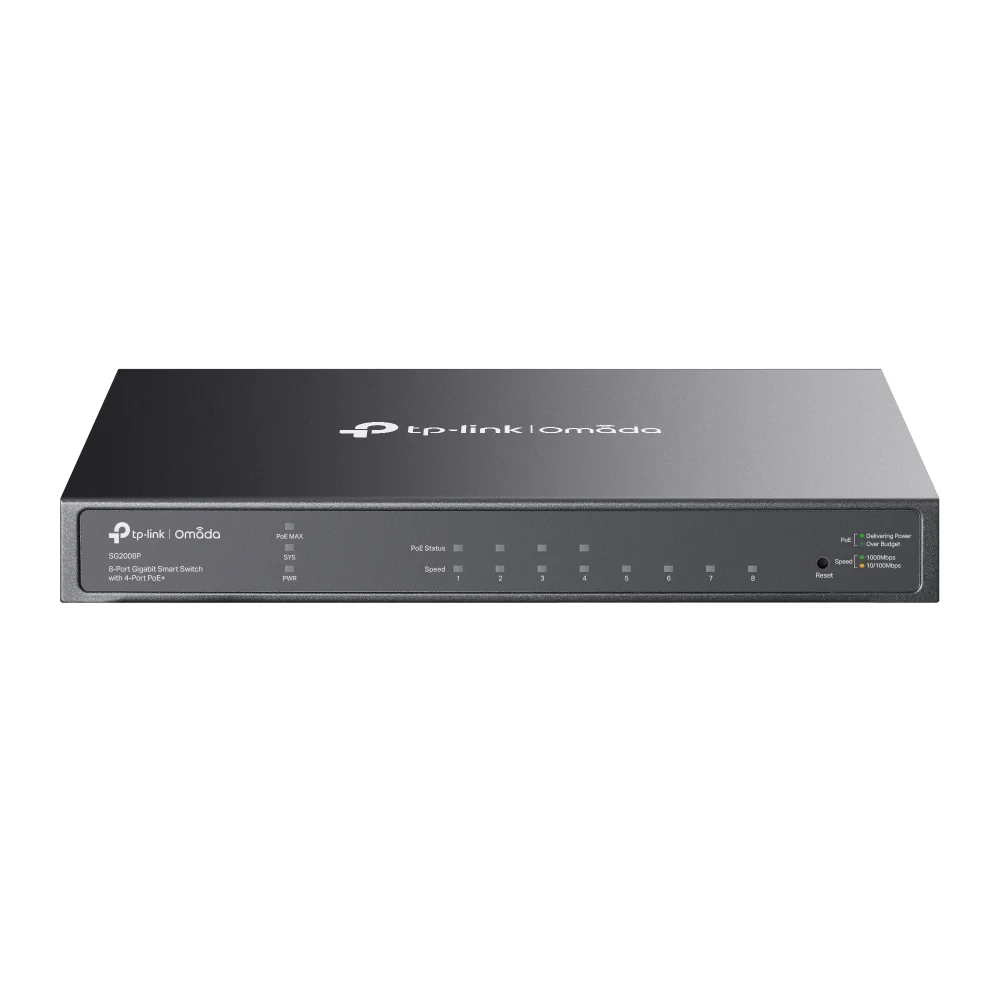
Omada 8-Port Gigabit Smart Switch including 1 PoE-IN Port, SG2008
Omada 8-Port Gigabit Smart Switch
PORT: 8x Gigabit RJ45 Ports including 1 PoE IN Port
SPEC: Desktop Steel Case
FEATURE: Integration with Omada SDN Controller, Static Routing, 802.1Q VLAN, STP/RSTP/MSTP, IGMP Snooping, 802.1p/DSCP QoS, ACL, 802.1x, Radius/Tacacs+ Authentication, LACP, CLI, SNMP, Dual Image, IPv6
SKU: SG2008
Professional network control in a compact 8-port switch
The Omada SG2008 brings VLANs, static routing, traffic management, advanced security, and centralized Omada control to smaller networks and remote locations. Eight Gigabit ports provide fast wired connectivity, while the dedicated PoE-in capability lets the switch receive power through the network cable when a compatible PoE source is available.
Managed networking without a full-size rack switch
The SG2008 is ideal for smaller offices, remote work areas, conference rooms, and network expansions requiring professional management in a compact form.
Eight Gigabit ports
Connect computers, printers, servers, gateways, storage, and other wired equipment at Gigabit Ethernet speeds.
Flexible PoE-in power
Install the switch where a local power outlet is inconvenient by powering it from a compatible PoE source through one Ethernet cable.
Centralized Omada management
Manage supported Omada switches, access points, and gateways through one controller, web portal, or the Omada app.
VLAN traffic separation
Separate employee, guest, voice, camera, management, and IoT traffic with support for up to 4,000 VLAN groups.
Static routing and DHCP tools
Route selected IPv4 and IPv6 traffic internally and use DHCP server or relay functionality for greater network efficiency.
Advanced network security
ACLs, 802.1X, DHCP snooping, ARP inspection, source guard, port security, storm control, and port isolation help protect the LAN.
Choose the power method that fits the location
The SG2008 includes a traditional power adapter while also supporting power input through one designated Gigabit Ethernet port.
A strong fit for smaller network deployments
The SG2008 provides professional management where a large rack switch would be unnecessary or difficult to install.
- Small offices and professional practices
- Conference and collaboration rooms
- Remote desks and work areas
- Retail registers and point-of-sale stations
- Network expansions and satellite locations
- Desktop or wall-mounted installations
- Locations without a convenient power outlet
- Multi-location Omada networks
Deploy it properly with Live-Tech
Live-Tech can configure the SG2008 as part of a secure, organized, and fully documented business network.
- Network and port-capacity planning
- PoE-in source compatibility review
- Desktop or wall-mount installation planning
- VLAN and traffic-segmentation configuration
- Omada controller adoption and monitoring
- Static routing, QoS, ACL, and security policies
- Firmware updates and configuration backups
- Ongoing managed network support
Omada SG2008 hardware details
Review the primary hardware, power, performance, management, and installation specifications before ordering.
From installation to a secure managed network
Review requirements
Confirm port capacity, placement, cabling, and whether PoE-in or the included adapter will provide power.
Install and connect
Place or wall-mount the switch, connect power, and attach the required network equipment.
Configure the network
Create VLANs, link aggregation, security policies, QoS, monitoring, and routing as required.
Test and document
Verify connectivity, update firmware, back up the configuration, and document port assignments.
Important information before ordering
What does PoE-in mean?
PoE-in allows the SG2008 to receive electrical power and network data through one designated Ethernet port when connected to a compatible PoE source. This can eliminate the need for a nearby electrical outlet.
Can the SG2008 power access points, phones, or cameras?
No. The SG2008 receives PoE power but does not provide PoE output. Connected PoE devices require separate power, individual PoE injectors, or a PoE-capable switch.
Is a power adapter included?
Yes. A 12V DC / 1A power adapter is included, so using PoE-in is optional.
Can the SG2008 operate without an Omada controller?
Yes. It supports standalone management through its web interface, CLI, SNMP, and RMON. Centralized cloud access, the Omada app, and certain automation features require a compatible Omada controller.
What is the difference between SG2008 and SG2008P?
The SG2008 has one PoE-in port that can power the switch itself but provides no PoE output. A PoE-capable SG2008P model is designed to supply power to compatible downstream devices.
Is this an unmanaged plug-and-play switch?
It can provide basic connectivity with minimal setup, but its main advantage is smart management. VLANs, QoS, security, routing, monitoring, and Omada integration are available when configured.
Is this a full Layer 3 switch?
The SG2008 is a smart managed switch with L2/L2+ capabilities, including IPv4 and IPv6 static routing. It is not designed to replace a full Layer 3 core switch when advanced dynamic-routing protocols are required.
Does this purchase include Live-Tech installation?
This product listing covers the SG2008 hardware and manufacturer-included accessories. Live-Tech installation, cabling, configuration, PoE source equipment, network design, and managed support are separate unless specifically included in your order or quote.
Add professional network control wherever you need it
Order the Omada SG2008 today, or speak with Live-Tech about network planning, PoE compatibility, VLAN configuration, security, Omada management, and ongoing support.
The designated PoE-in port accepts power for the SG2008 but does not provide PoE output to connected equipment. Use a compatible PoE source or the manufacturer-included 12V DC power adapter. Centralized management, cloud access, the Omada app, and certain automation features require a compatible Omada controller or cloud-based controller. Some features may require the latest available firmware. Professional installation and configuration are not included unless expressly stated in the order or quote.
HARDWARE FEATURESInterface• 8× 10/100/1000 Mbps RJ45 Ports (including 1 PD Port)
• Auto-Negotiation/Auto MDI/MDIXFan QuantityFanlessPhysical Security Lock√Power SupplyAC/DC Adapter (Input: 100-240V AC; Output: 12V DC/1A) or Obtain Power from PoE SourceDimensions ( W x D x H )8.2×4.9×1.0 in (209×126×26 mm)MountingDesktop / Wall-MountingMax. Power Consumption6.4 W (220 V/50 Hz)Max. Heat Dissipation21.84 BTU/hr (220 V/50 Hz)
PERFORMANCEPacket Buffer Memory4.1 MbitJumbo Frame9 KBBandwidth/Backplane16 GbpsPacket Forwarding Rate11.9 MppsMAC Address Table8K
SOFTWARE FEATURESQuality of Service• 802.1p CoS/DSCP priority
• 8 priority queues
• Priority Schedule Mode: SP (Strict Priority), WRR (Weighted Round Robin)
• Queue Weight Config
• Bandwidth Control: Port/Flow-based Rating Limit
• Smoother Performance
• Storm Control: Multiple Control Modes(kbps/ratio), Broadcast/Multicast/Unknown-Unicast ControlL2 and L2+ Features• 32 IP Interfaces: Support IPv4/IPv6 Interface
• Static Routing: 32 IPv4/IPv6 Static Routes
• DHCP Server
• DHCP Relay: DHCP Interface Relay, DHCP VLAN Relay
• DHCP L2 Relay
• Static ARP
• Proxy ARP
• Gratuitous ARP
• Link Aggregation
• Spanning Tree Protocol
• Loopback Detection
• 802.3x Flow Control
• Mirroring
• Device Link Detect Protocol (DLDP)
• 802.1ab LLDP/ LLDP-MEDL2 Multicast• 511 IPv4, IPv6 shared multicast groups
• IGMP Snooping
• Multicast VLAN Registration (MVR)
• Multicast Filtering
• Limited IP Multicast (256 profiles and 16 entries per profile)Advanced Features• Automatic Device Discovery†
• Batch Configuration†
• Batch Firmware Upgrading†
• Intelligent Network Monitoring†
• Abnormal Event Warnings†
• Unified Configuration†
• Reboot Schedule†VLAN• VLAN Group: Max 4K VLAN Groups
• 802.1Q tag VLAN
• MAC VLAN: 12 Entries
• Protocol VLAN
• GVRP
• Voice VLANAccess Control List• Support up to 230 entries
• Time-based ACL
• MAC ACL
• IP ACL
• IPv6 ACL
• Combined ACL
• Rule Operation: Permit/Deny
• Policy Action: Mirroring, Redirect, Rate Limit, QoS Remark
• ACL Rules Binding: Port Binding, VLAN BindingSecurity• IP-MAC-Port Binding
• AAA
• 802.1X
- Port-based authentication
- MAC (Host) based authentication
- Authentication Method includes PAP/EAP-MD5
- MAB
- Guest VLAN
- Support Radius authentication and accountability
• IP/IPv6-MAC Binding
- 512 Binding Entries
- DHCP Snooping
- DHCPv6 Snooping
- ARP Inspection
- ND Detection
• IP Source Guard
- 253 Entries
- Source IP+Source MAC
• IPv6 Source Guard
- 183 Entries
- Source IPv6 Address+Source MAC
• DoS Defend
• Static/Dynamic/Permanent Port Security
- Up to 64 MAC addresses per port
• Broadcast/Multicast/Unicast Storm Control
- kbps/ratio control mode
• Port Isolation
• Secure web management through HTTPS with SSLv3/TLS 1.2
• Secure Command Line Interface (CLI) management with SSHv1/SSHv2
• IP/Port/MAC-based access controlIPv6• IPv6 Static Routing and ACL
• IPv6 Dual IPv4/IPv6
• IPv6 Interface
• Multicast Listener Discovery (MLD) Snooping
• IPv6 neighbor discovery (ND)
• Path maximum transmission unit (MTU) discovery
• Internet Control Message Protocol (ICMP) version 6
• TCPv6/UDPv6
• IPv6 applications: DHCPv6 Client, Ping6, Tracert6, Telnet(v6), IPv6 SNMP, IPv6 SSH, IPv6 SSL, Http/Https, IPv6 TFTPMIBs• MIB II (RFC1213)
• Bridge MIB (RFC1493)
• P/Q-Bridge MIB (RFC2674)
• Radius Accounting Client MIB (RFC2620)
• Radius Authentication Client MIB (RFC2618)
• Remote Ping, Traceroute MIB (RFC2925)
• Support TP-Link private MIBs
• RMON MIB(RFC1757, rmon 1,2,3,9)
Management FeaturesOmada AppYes. Requiring the use of Omada Hardware Controller, Omada Cloud-Based Controller, or Omada Software Controller.Centralized Management• Omada Cloud-Based Controller
• Omada Hardware Controller
• Omada Software ControllerCloud AccessYes. Requiring the use of Omada Hardware Controller, Omada Cloud-Based Controller, or Omada Software Controller.Zero-Touch ProvisioningYes. Requiring the use of Omada Cloud-Based Controller.Management Features• Web-based GUI
• Command Line Interface (CLI) through telnet
• SNMPv1/v2c/v3
• SNMP Trap/Inform
• RMON (1,2,3,9 groups)
• SDM Template
• DHCP/BOOTP Client
• Dual Image, Dual Configuration
• CPU Monitoring
• Cable Diagnostics
• EEE
• SNTP
• System Log
OTHERSCertificationCE, FCC, RoHSPackage Content• SG2008
• Power Adapter
• Installation Guide
• Rubber FeetSystem RequirementsMicrosoft® Windows® 98SE, NT, 2000, XP, Vista™ or Windows 7/8/10/11, MAC® OS, NetWare®, UNIX® or Linux.Environment• Operating Temperature: 0–40 ℃ (32–104 ℉);
• Storage Temperature: -40–70 ℃ (-40–158 ℉)
• Operating Humidity: 10–90% RH non-condensing
• Storage Humidity: 5–90% RH non-condensing
HARDWARE FEATURES
Interface • 8× 10/100/1000 Mbps RJ45 Ports (including 1 PD Port)
• Auto-Negotiation/Auto MDI/MDIX
Fan Quantity Fanless
Physical Security Lock √
Power Supply AC/DC Adapter (Input: 100-240V AC; Output: 12V DC/1A) or Obtain Power from PoE Source
Dimensions ( W x D x H ) 8.2×4.9×1.0 in (209×126×26 mm)
Mounting Desktop / Wall-Mounting
Max. Power Consumption 6.4 W (220 V/50 Hz)
Max. Heat Dissipation 21.84 BTU/hr (220 V/50 Hz)
PERFORMANCE
Packet Buffer Memory 4.1 Mbit
Jumbo Frame 9 KB
Bandwidth/Backplane 16 Gbps
Packet Forwarding Rate 11.9 Mpps
MAC Address Table 8K
SOFTWARE FEATURES
Quality of Service • 802.1p CoS/DSCP priority
• 8 priority queues
• Priority Schedule Mode: SP (Strict Priority), WRR (Weighted Round Robin)
• Queue Weight Config
• Bandwidth Control: Port/Flow-based Rating Limit
• Smoother Performance
• Storm Control: Multiple Control Modes(kbps/ratio), Broadcast/Multicast/Unknown-Unicast Control
L2 and L2+ Features • 32 IP Interfaces: Support IPv4/IPv6 Interface
• Static Routing: 32 IPv4/IPv6 Static Routes
• DHCP Server
• DHCP Relay: DHCP Interface Relay, DHCP VLAN Relay
• DHCP L2 Relay
• Static ARP
• Proxy ARP
• Gratuitous ARP
• Link Aggregation
• Spanning Tree Protocol
• Loopback Detection
• 802.3x Flow Control
• Mirroring
• Device Link Detect Protocol (DLDP)
• 802.1ab LLDP/ LLDP-MED
L2 Multicast • 511 IPv4, IPv6 shared multicast groups
• IGMP Snooping
• Multicast VLAN Registration (MVR)
• Multicast Filtering
• Limited IP Multicast (256 profiles and 16 entries per profile)
Advanced Features • Automatic Device Discovery†
• Batch Configuration†
• Batch Firmware Upgrading†
• Intelligent Network Monitoring†
• Abnormal Event Warnings†
• Unified Configuration†
• Reboot Schedule†
VLAN • VLAN Group: Max 4K VLAN Groups
• 802.1Q tag VLAN
• MAC VLAN: 12 Entries
• Protocol VLAN
• GVRP
• Voice VLAN
Access Control List • Support up to 230 entries
• Time-based ACL
• MAC ACL
• IP ACL
• IPv6 ACL
• Combined ACL
• Rule Operation: Permit/Deny
• Policy Action: Mirroring, Redirect, Rate Limit, QoS Remark
• ACL Rules Binding: Port Binding, VLAN Binding
Security • IP-MAC-Port Binding
• AAA
• 802.1X
- Port-based authentication
- MAC (Host) based authentication
- Authentication Method includes PAP/EAP-MD5
- MAB
- Guest VLAN
- Support Radius authentication and accountability
• IP/IPv6-MAC Binding
- 512 Binding Entries
- DHCP Snooping
- DHCPv6 Snooping
- ARP Inspection
- ND Detection
• IP Source Guard
- 253 Entries
- Source IP+Source MAC
• IPv6 Source Guard
- 183 Entries
- Source IPv6 Address+Source MAC
• DoS Defend
• Static/Dynamic/Permanent Port Security
- Up to 64 MAC addresses per port
• Broadcast/Multicast/Unicast Storm Control
- kbps/ratio control mode
• Port Isolation
• Secure web management through HTTPS with SSLv3/TLS 1.2
• Secure Command Line Interface (CLI) management with SSHv1/SSHv2
• IP/Port/MAC-based access control
IPv6 • IPv6 Static Routing and ACL
• IPv6 Dual IPv4/IPv6
• IPv6 Interface
• Multicast Listener Discovery (MLD) Snooping
• IPv6 neighbor discovery (ND)
• Path maximum transmission unit (MTU) discovery
• Internet Control Message Protocol (ICMP) version 6
• TCPv6/UDPv6
• IPv6 applications: DHCPv6 Client, Ping6, Tracert6, Telnet(v6), IPv6 SNMP, IPv6 SSH, IPv6 SSL, Http/Https, IPv6 TFTP
MIBs • MIB II (RFC1213)
• Bridge MIB (RFC1493)
• P/Q-Bridge MIB (RFC2674)
• Radius Accounting Client MIB (RFC2620)
• Radius Authentication Client MIB (RFC2618)
• Remote Ping, Traceroute MIB (RFC2925)
• Support TP-Link private MIBs
• RMON MIB(RFC1757, rmon 1,2,3,9)
Management Features
Omada App Yes. Requiring the use of Omada Hardware Controller, Omada Cloud-Based Controller, or Omada Software Controller.
Centralized Management • Omada Cloud-Based Controller
• Omada Hardware Controller
• Omada Software Controller
Cloud Access Yes. Requiring the use of Omada Hardware Controller, Omada Cloud-Based Controller, or Omada Software Controller.
Zero-Touch Provisioning Yes. Requiring the use of Omada Cloud-Based Controller.
Management Features • Web-based GUI
• Command Line Interface (CLI) through telnet
• SNMPv1/v2c/v3
• SNMP Trap/Inform
• RMON (1,2,3,9 groups)
• SDM Template
• DHCP/BOOTP Client
• Dual Image, Dual Configuration
• CPU Monitoring
• Cable Diagnostics
• EEE
• SNTP
• System Log
OTHERS
Certification CE, FCC, RoHS
Package Content • SG2008
• Power Adapter
• Installation Guide
• Rubber Feet
System Requirements Microsoft® Windows® 98SE, NT, 2000, XP, Vista™ or Windows 7/8/10/11, MAC® OS, NetWare®, UNIX® or Linux.
Environment • Operating Temperature: 0–40 ℃ (32–104 ℉);
• Storage Temperature: -40–70 ℃ (-40–158 ℉)
• Operating Humidity: 10–90% RH non-condensing
• Storage Humidity: 5–90% RH non-condensing